Nice to know
DS3 TFS X, QS40 PRT S, MS8 PSS S, M75, or R62: anyone configuring a Prodir ballpoint pen for the first time might feel as though they are looking at a secret code. In reality, however, these designations follow a carefully structured system.
Prodir pen designations help you better understand the model, configuration, and customization options of each ballpoint pen. The most important step is distinguishing between the model, product code, color code, and imprint position. Once you understand this logic, you can compare Prodir pens more effectively and select the right version for your company more quickly.
To read Prodir pen designations correctly, you need to distinguish between four types of information:
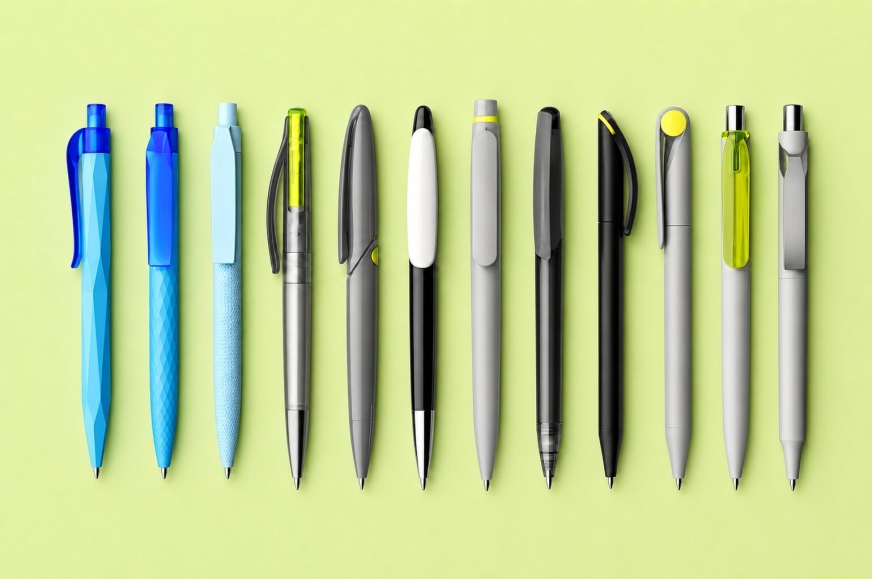
Prodir divides its promotional ballpoint pen collection into three main series, also referred to as product families.
When looking at a pen’s designation, the model name always comes first.
Current Model Overview (2026)
DS Series
|
QS Series
MS Series
|
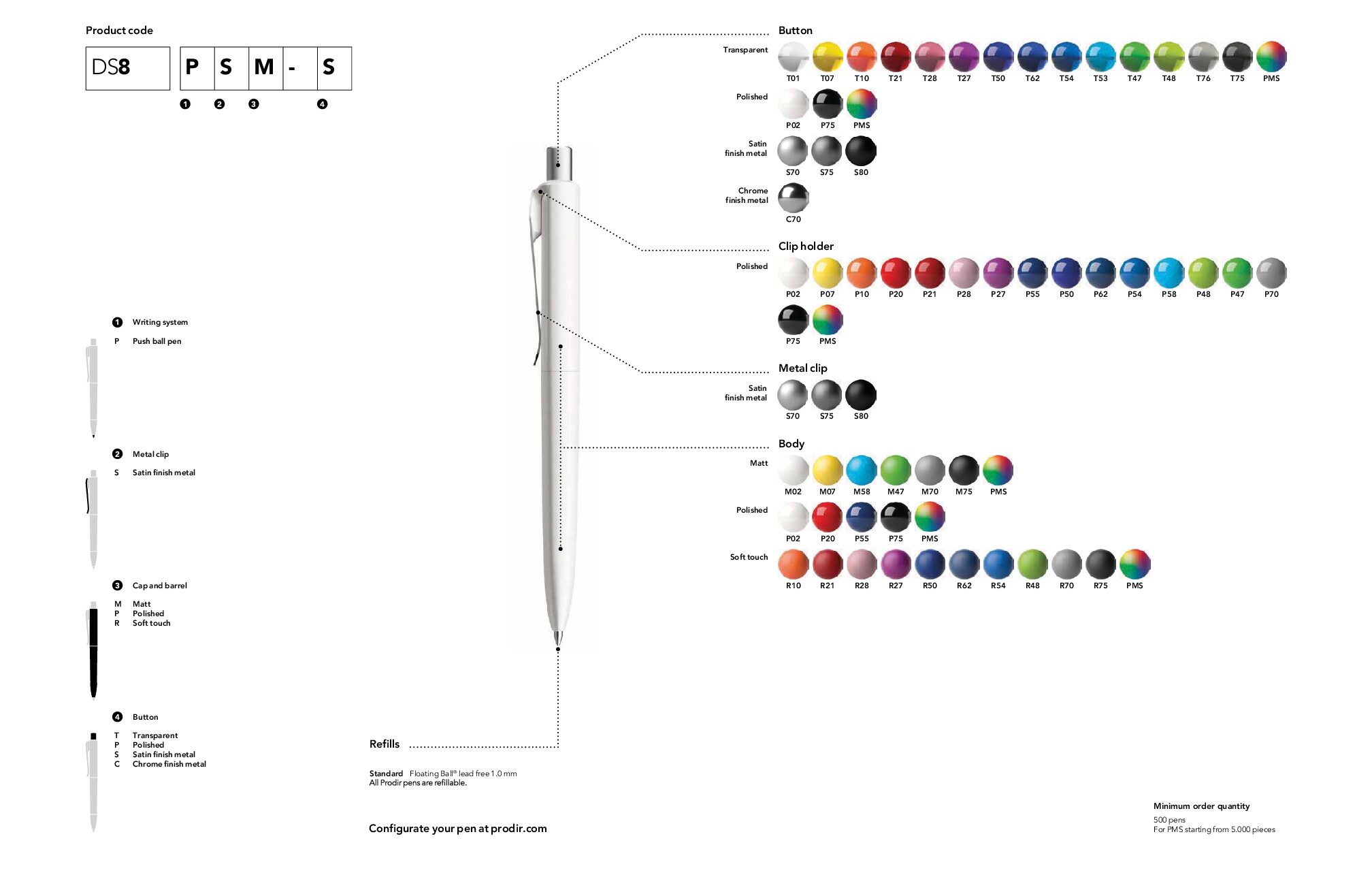
The product code follows the model designation. It describes the specific configuration of the Prodir pen. It may contain information about the writing system, the finish of the pen body, and the design of the clip, tip, ring, or push button.
Example:
DS3 TFS X
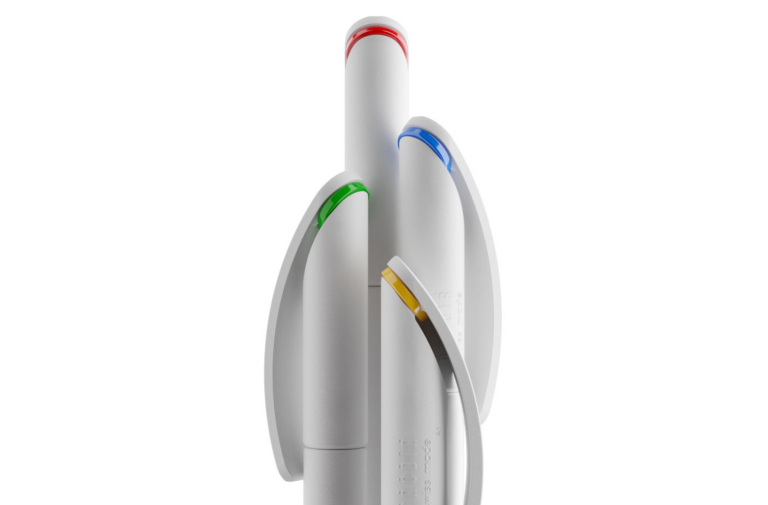
The code can therefore be broken down step by step.
But be careful: the same letter can have several meanings. Its position within the code is what matters.
An individual letter can therefore never be interpreted without considering the model, the component, and its position within the product code.
The following codes appear particularly often:
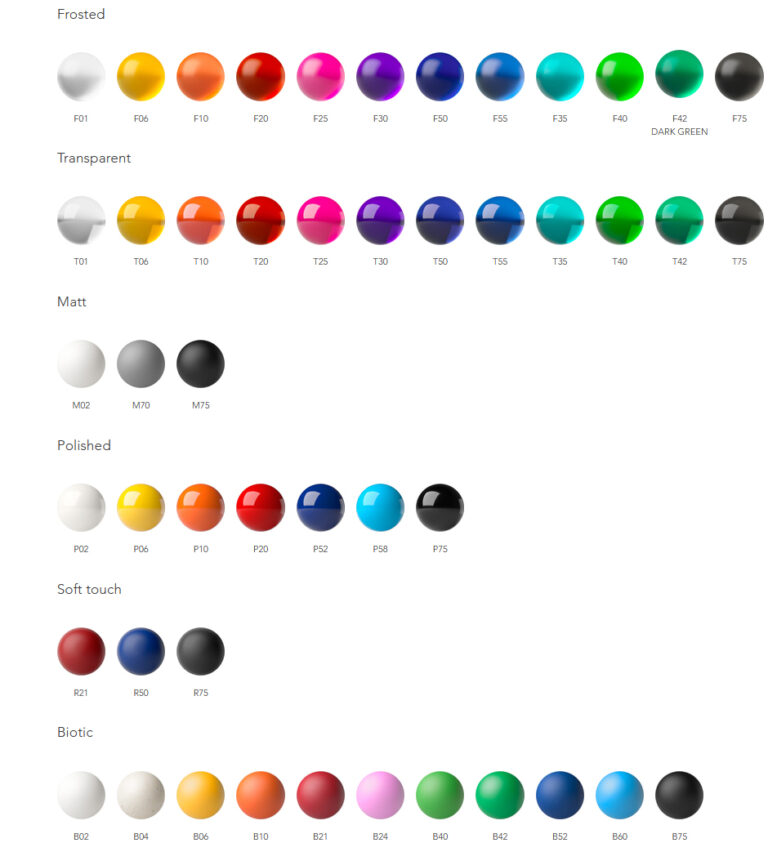
F = Frosted
F indicates a frosted surface.
T = Transparent
T indicates a transparent version.
M = Matte
M stands for a matte surface. It creates a clean, modern, and understated appearance.
P = Polished
P indicates a smooth, polished surface. It has a glossier appearance and makes colors look especially clear and vivid.
R = Soft Touch
R stands for a soft Soft Touch surface. Depending on the model, specific imprinting restrictions may apply.
S = Satin Finish Metal
S indicates a satin-finished metal version. Depending on the model, it may refer to a clip, tip, or push button.
On the MS8, S identifies the aluminum body configuration as well as satin-finished metal elements such as the clip and push button.
C = Chrome Finish Metal
C indicates a chrome-finished metal version. This code is used, for example, for tips or push buttons.
Finish codes are often followed by a two-digit number identifying the corresponding Prodir color.
For example:
Not every color can be combined with every model, finish, and component. The available options must therefore always be checked for the selected pen.
But There’s More…
In addition to the most common finish codes, there are other designations that only appear on certain models.
These codes cannot be generalized without referring to the relevant technical data sheet.
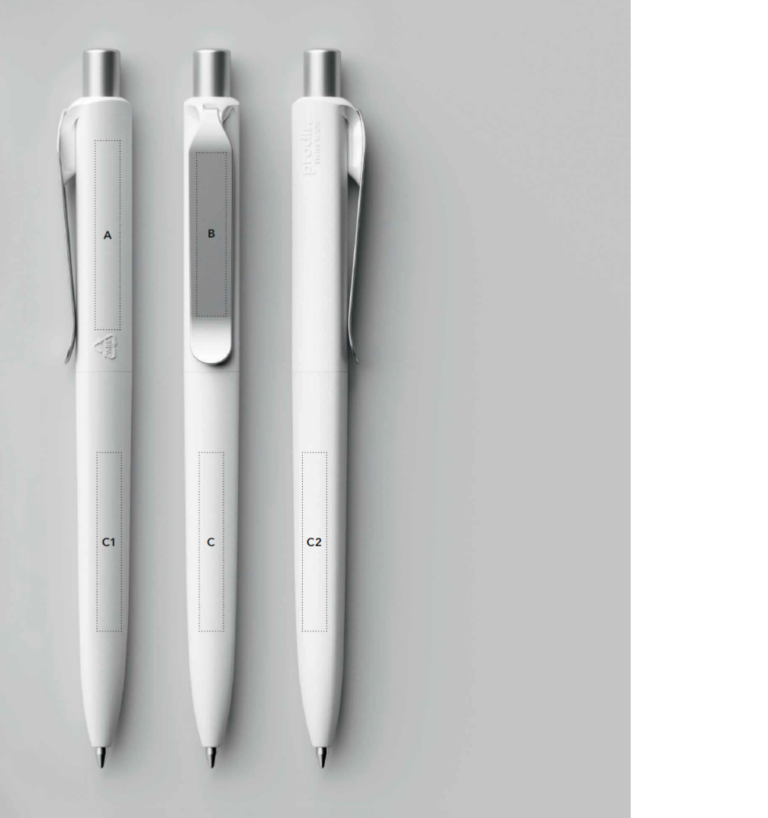
For imprint positions, the letters serve a different purpose than they do in the product code. They do not describe the mechanism, finish, or component. Instead, they refer to the marked imprint areas in the technical drawing.
The letters A through E show where a logo, company name, or QR code can be placed on a specific Prodir model.
The meaning of an imprint position always depends on the individual model.
On one pen, A may refer to the clip. On another, it may refer to the push button or a side area. The same applies to B, C, D, and E.
The letters therefore function as references to the marked areas in the technical drawing. They are not universal names for specific components.
Depending on the model, Prodir also uses designations such as A1, A2, B1, B2, C1, or C2. These distinguish between several similar or adjacent imprint areas.
Each letter represents more than just the location of the imprint.
The technical specifications also indicate:
Depending on the model, a plastic clip can be printed with up to six colors. Larger barrel areas allow for up to four imprint colors.
QR codes often have their own specifications. On various models, up to two imprint colors and an additional white underbase may be available.
With Soft Touch surfaces, the possible number of imprint colors may be reduced. Some barrel areas may not be available at all with this finish.
Depending on the model, metal clips can be customized using pad printing / screen printing or laser engraving.
The desired finish should therefore never be selected independently of the logo and planned imprint position.
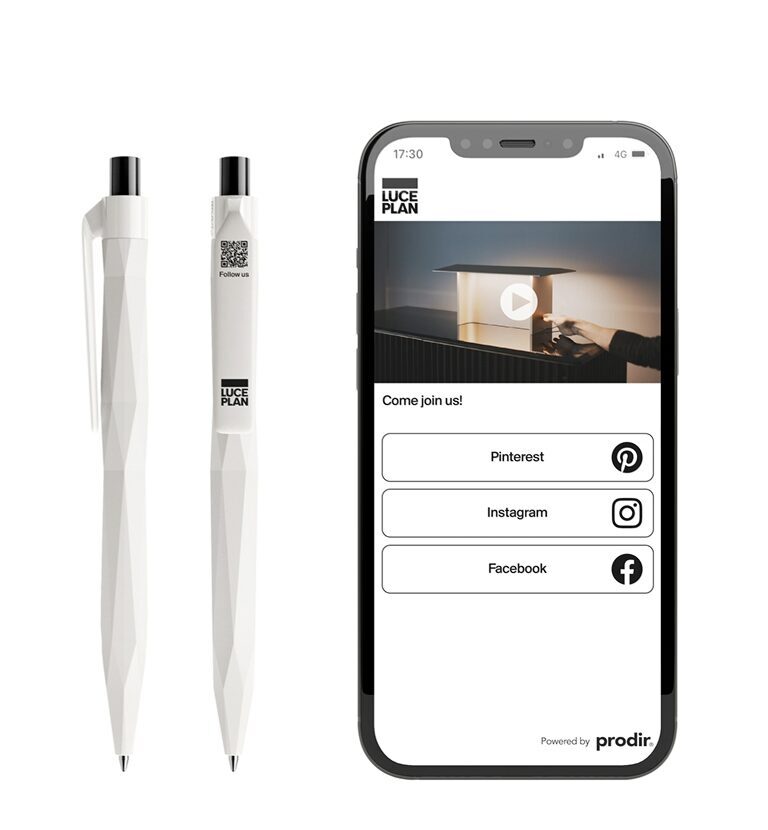
The Prodir DS2 is particularly useful for explaining the system. It has five clearly identified imprint positions, labeled A through E.
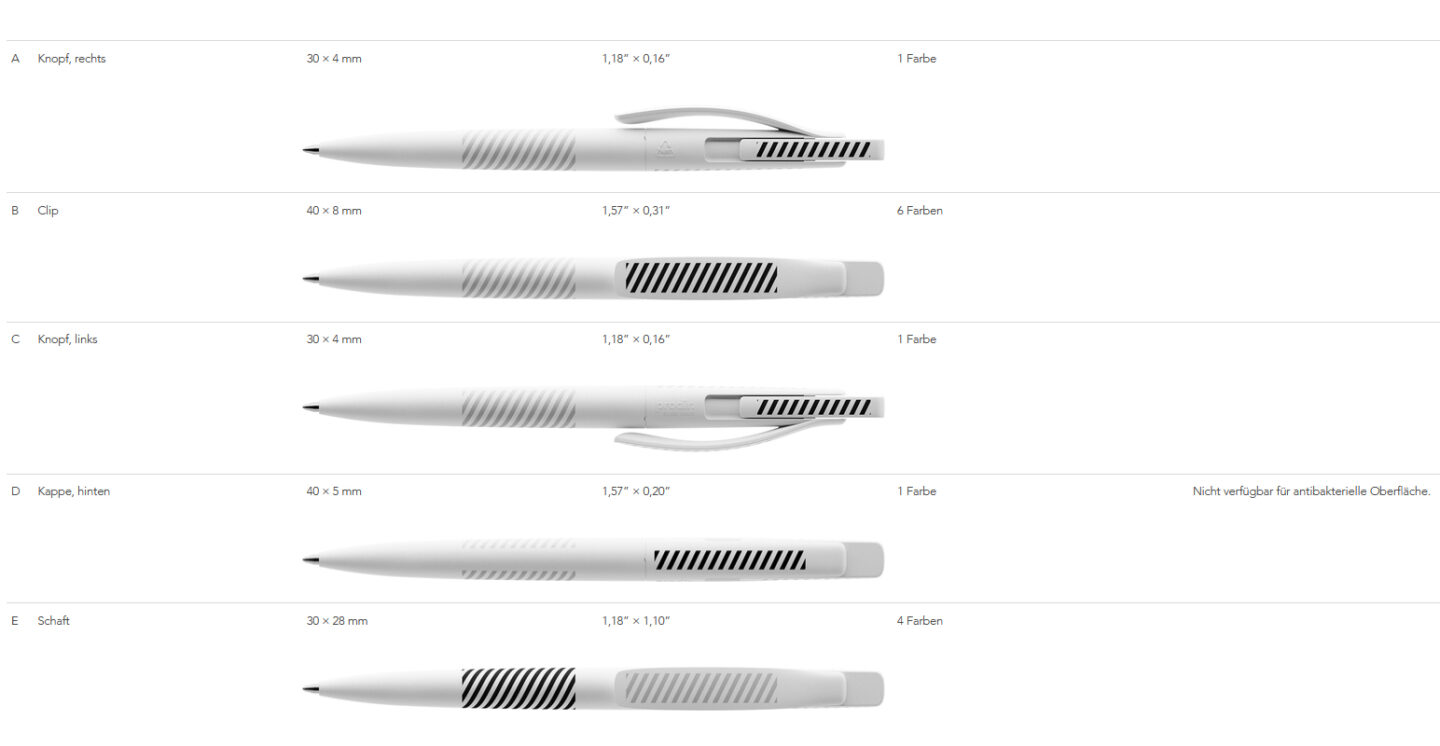
Let’s begin with position A on the right side of the push button. The area measures 30 × 4 mm and allows for one imprint color.
Position B is located on the clip. Measuring 40 × 8 mm, it provides space for up to six imprint colors. A QR code can also be applied to this area.
Position C is located on the left side of the push button. This area also measures 30 × 4 mm and allows for one imprint color.
Position D is located on the back of the cap. The available area measures 40 × 5 mm.
Position E, located on the barrel, is the largest area. Measuring 30 × 28 mm, it provides space for up to four imprint colors.
This assignment applies only to the DS2. On another Prodir ballpoint pen, the same letters may refer to different areas.
The largest imprint area is not automatically the best choice.
A small, compact logo can look particularly elegant on a clip. A longer company name, on the other hand, often requires a wider area on the barrel or cap.
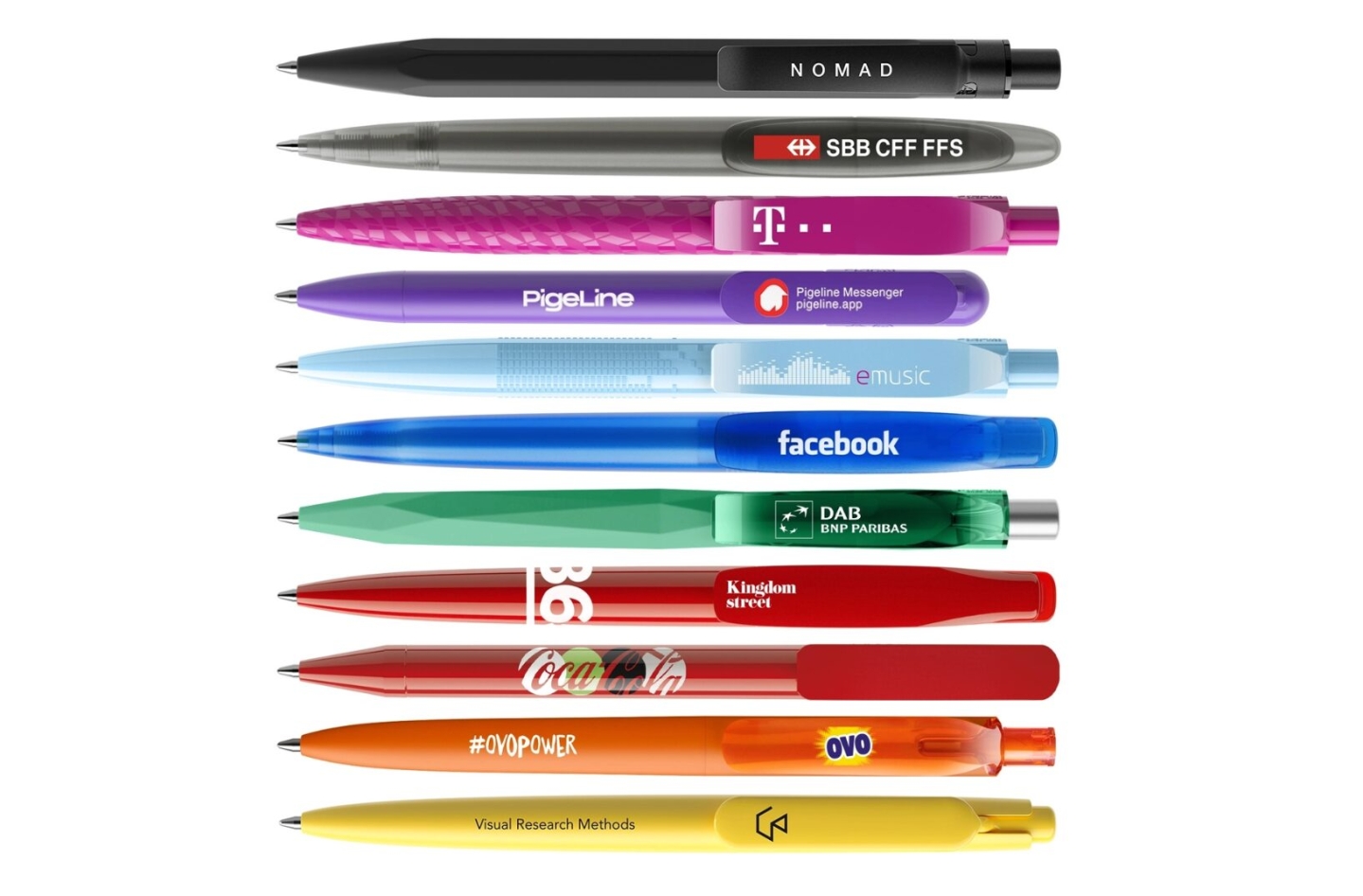
For a larger message or a multicolor graphic, an imprint area on the barrel is generally more suitable than a narrow clip.
For a QR code, you need to consider not only the dimensions but also the surface finish and the number of available imprint colors.
The right position therefore depends on the shape of the logo, the desired visual effect, and the technical capabilities of the selected model.
Ready to decode the Prodir codes?
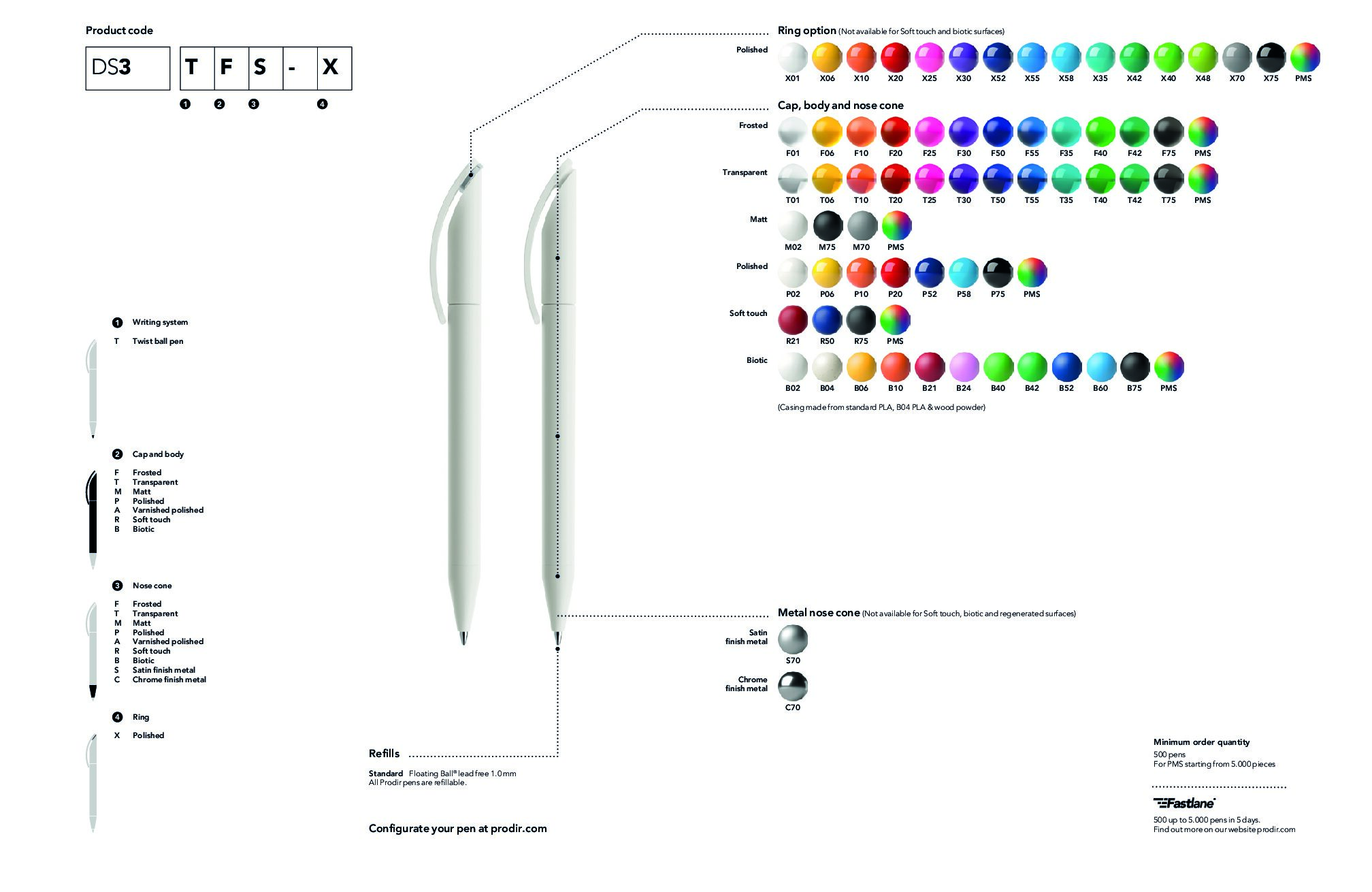
Suppose you choose a DS3 TFS X. The code, which may seem complicated at first, can now be decoded quickly.
The imprint positions are identified separately using A, B, and C.
The DS8 PSM S code can now also be read step by step.
Five positions are available for customization.
Prodir finish codes do more than describe a technical configuration. They also help you select the pen’s visual appearance and tactile feel with precision.
Matte and frosted surfaces create an understated, modern, and clean appearance. Polished versions make colors stand out more strongly and create a more eye-catching look. Soft Touch surfaces feel particularly pleasant and give the ballpoint pen a premium tactile quality. Transparent versions create a lighter appearance and allow for interesting color combinations.
Satin-finished, polished, or chrome-finished metal elements add further accents. They can highlight the clip, tip, ring, or push button and deliberately change the model’s overall appearance.
The configuration that best suits your company depends on the desired brand image, your corporate colors, and your logo. At the same time, you also need to consider the available imprint positions and customization options for the individual model.
Prodir codes may look complicated at first, but they follow a clear system. The letters in the technical drawings identify the available imprint positions. The characters in the product code describe the mechanism, finishes, and individual components. Additional numbers stand for the corresponding Prodir colors.
Once you know how to read the codes correctly, you can compare the different Prodir ballpoint pens more effectively. The designation alone allows you to see at a glance whether the product is, for example, a push-button ballpoint pen with a matte surface or a twist-action pen with a frosted body and metal tip.
This helps you find the model in the bb online shop that best matches your brand identity, corporate colors, and logo. On the selected product page, you can immediately see which customization methods and imprint positions are available. You can then place your logo, design, or text on the desired area.
Should you have any questions, bb trading can also help you select the right imprint position and determine which customization method can be implemented most effectively for your logo from a technical perspective